What Email Organization & Response is
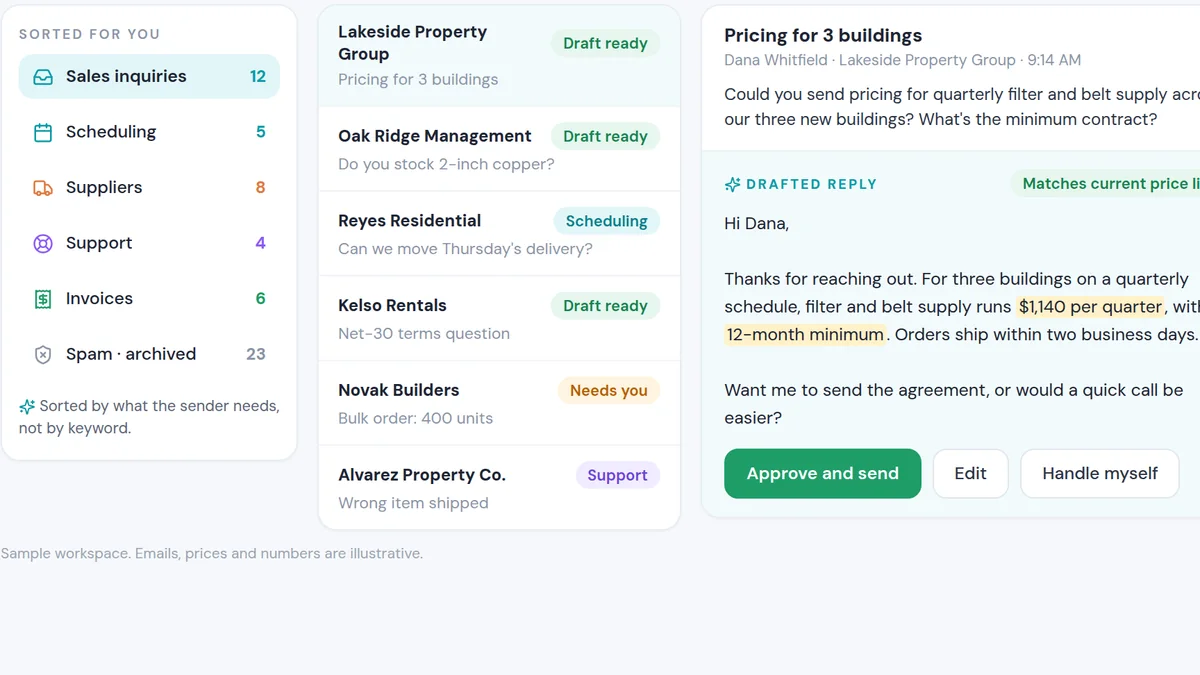
Email Organization & Response connects to your inbox, reads each incoming message and sorts it by what the sender needs: a price question, a product question, a meeting request, a misdirected email. It drafts a reply grounded in your current policies and product information, in your tone.
A person reviews and sends. For bulk work, like replying to a batch of similar inquiries, it prepares the drafts in a review queue so someone can check them quickly before anything goes out.
We build it with hard rules: what it can say, what it must never promise and when to hand an email to a person untouched.
What people are using it for
Inbound sales inquiries
Every inquiry gets a fast, accurate first reply that answers the question and proposes a next step.
Product and minimum-order questions
Questions about availability, minimums and lead times are answered from current policy, not memory.
Non-English inquiries
Inquiries in other languages are understood and answered appropriately.
Bulk reply review
Batches of similar emails are drafted into a review queue so one person can approve them in minutes.
Why people use it over the alternatives
Slow email replies lose deals the same way missed calls do. A buyer who emails three suppliers often goes with the one who answered first with a useful response.
Accuracy is the other reason. When policies change (a new minimum, a discontinued product), people keep giving the old answer for months. A responder that drafts from the current policy gives the current answer every time.
| Option | What usually happens | With Email Organization & Response |
|---|---|---|
| Reply when there's time | Inquiries wait a day or more; some never get answered. | A draft ready within minutes of arrival. |
| Saved templates | Generic answers that don't quite fit the question. | A reply written to the actual question. |
| Fully automatic replies | Fast, but risky when the AI gets something wrong. | Drafts a person approves before sending. |
When you should not use it
- Every email is a sensitive negotiation.Legal, HR and high-stakes negotiation emails should stay fully human.
- Your policies aren't written down.The responder needs a current source of truth. Document your terms and product facts first.
- You want zero human review.For anything customer-facing, keep approval in place, at least until you have months of evidence it's reliable.
Tactics that make it work
Write a do-not-say list
List the promises, discounts and claims the AI must never make. It is the most important part of the setup.
Keep policy in one place
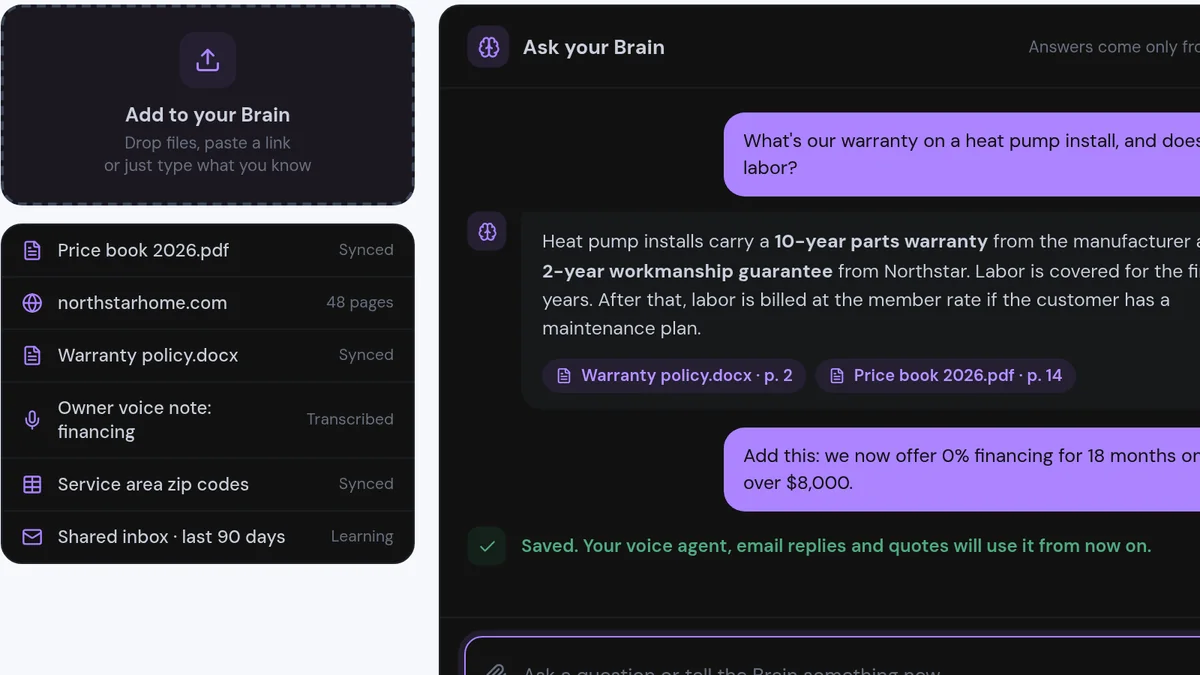
Point the responder at a single, maintained source for terms, minimums and products.
Classify before drafting
Sort emails into types first (inquiry, support, misdirected, spam). Each type gets its own rules.
Always propose a next step
Every reply should end with something concrete: a call, a quote or the right contact.
Archive changes carefully
When you update the rules, keep the previous version so you can see what changed and why.
Built for a B2B manufacturing sales inbox
I built the first version of this for my own inbound sales email in B2B manufacturing. Inquiries cover minimum order quantities, product formats, availability and capabilities, and the correct answers change. Products get discontinued, formats change and policies get updated. Answering from memory meant sometimes giving last quarter's answer.
The responder drafts every reply from a maintained knowledge file of current policy, and when the owner of a policy corrects it, the rules are updated and the previous version is archived. We later added a bulk review queue: drafts for a batch of emails are prepared side by side so a person can check and approve them quickly. Nothing is sent and no customer record is edited without that review.
Buyers email several vendors at once and move forward with whoever responds well first. With AI drafting from your current policies and a person approving, you can be that vendor without adding headcount.
If you are an owner or sales leader whose inbox is a bottleneck, an email responder that drafts accurate replies in minutes turns inquiries into conversations while your competitors are still catching up.
- Accurate drafts within minutes of every inquiry
- Answers from current policy, not memory
- A person approves before anything is sent
for you?
On a short, personalized call we'll look at how your business runs today and show you how this would plug into your leads and tools. You'll get a straight answer on whether we can help you get similar results, and what it would take to answer every inquiry fast without losing accuracy.
- Personalized to your business
- See the system working
- Honest answer on fit